

Interactive Coding Lessons for Children

A child who can spend 45 minutes building a game character, fixing a bug, or making a robot move is not just passing time on a screen. They are thinking, testing, creating, and learning how ideas become real. That is why interactive coding lessons for children feel so different from passive tech activities. Instead of watching, kids participate. Instead of memorizing, they build.
For parents, that difference matters. Many programs say they teach coding, but the real question is how children learn best. When lessons are interactive, kids get immediate feedback, hands-on challenges, and a reason to stay curious. They are not only learning commands or concepts. They are developing confidence, patience, and problem-solving habits they can use far beyond a coding class.
Why interactive coding lessons for children work so well
Children learn most effectively when they can do something with what they are taught. A lecture about loops may be forgotten by dinner. A game where a character repeats an action because of a loop is easier to understand and much more likely to stick. Interactive learning connects new ideas to action, and action keeps children engaged.
This is especially true in coding because programming is naturally practical. Kids need to try things, see what happens, spot mistakes, and adjust. That cycle of attempt, result, and improvement is where real learning happens. It also turns mistakes into part of the process, which is a valuable shift for children who are used to thinking every wrong answer is a failure.
There is also a motivation advantage. Many children are excited by technology, but excitement fades quickly if the lesson feels too abstract or too hard. Interactive classes keep momentum going. A small win, like making a character jump or changing the background of a game, gives children proof that they can do this. That feeling matters more than many parents realize.
What makes a coding lesson truly interactive?
A truly interactive lesson does more than put a child in front of a computer. It asks the child to make choices, solve problems, and build something step by step. The lesson should feel active, not scripted.
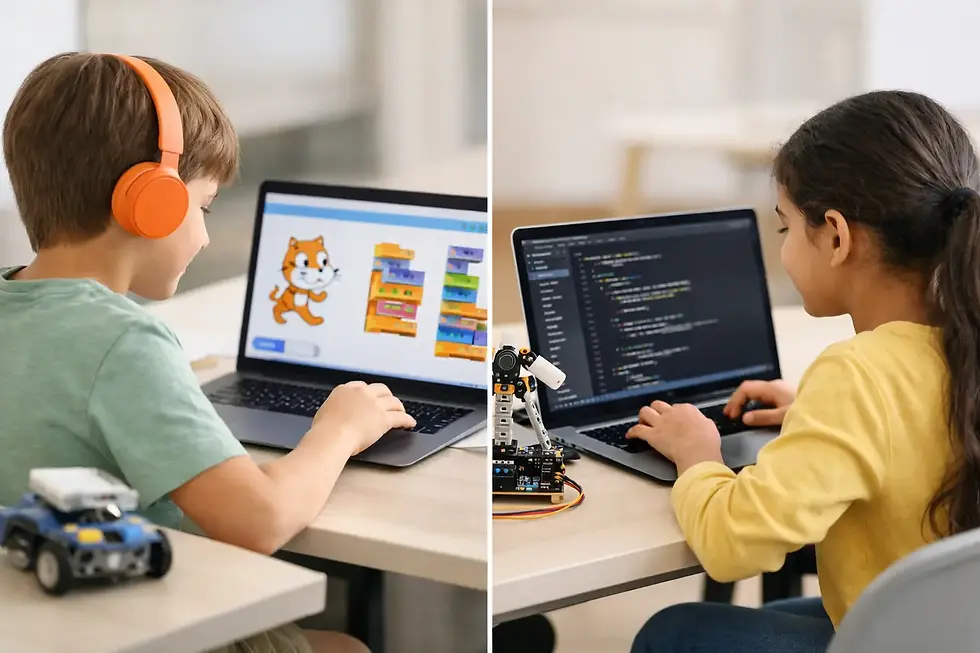
In strong programs, children are guided through projects that match their age and skill level. Younger learners may use visual coding tools to drag and connect blocks. Older students may move into text-based languages like Python, where they type commands and begin understanding syntax more deeply. In both cases, the key is participation. Kids should be creating, not just copying.
Good interaction also includes instructor support. Some children need a nudge when they get stuck. Others need extra challenge because they move quickly. The best lessons leave room for both. That balance is hard to achieve in generic self-paced platforms, which is why guided instruction often makes such a big difference.
The benefits go beyond coding
Parents often start looking for coding classes because they want their child to learn a useful future skill. That is a smart reason, but it is not the only benefit. Interactive coding lessons often strengthen several other abilities at the same time.
Children learn to break big tasks into smaller steps. They learn that if something does not work, they can test one piece at a time and figure out why. They practice logic, but they also practice resilience. A child who debugs a simple game is learning persistence in a very real way.
There is a creative side too. Coding is often seen as technical, yet many children enjoy it because it lets them invent things. They can design characters, control stories, build games, and create animations. For kids who like art, storytelling, or problem solving, coding can become a place where all of those interests meet.
That mix of creativity and structure is one reason many families find coding classes more productive than general screen time. The child is still using technology, but now the screen becomes a tool for making rather than consuming.
Choosing the right interactive coding lessons for children
Not every child needs the same starting point. A 6-year-old and a 14-year-old will learn in very different ways, and a good program should reflect that. Age-appropriate design is one of the first things to look for.
For younger children, lessons should be visual, playful, and short enough to hold attention. They need clear goals, bright results, and lots of encouragement. For older children, the lesson can go deeper into coding logic, game design, app creation, robotics, or Python projects. They often want more independence, but they still benefit from structure.
Project-based learning is another strong sign. If a program says children will create games, animations, apps, or robotics builds, that usually means the learning has a clear purpose. Projects help children see progress. They also give parents something concrete to evaluate. A finished project tells you much more than a worksheet ever could.
It also helps to check how the class handles different learning speeds. Some kids need more repetition. Others are ready to move fast. Interactive lessons work best when instructors can adapt, not when every child is forced into the exact same pace.
Online or in-person? It depends on your child
Parents often ask which format is better. The honest answer is that it depends on your child’s personality, attention span, and schedule.
Online lessons can be excellent when they are live, structured, and genuinely interactive. They offer flexibility and can work very well for children who are comfortable with computers and able to follow guided instructions from home. In many cases, online learning also gives families access to strong programs they might not find nearby.
In-person classes can be especially helpful for younger children or for learners who focus better in a classroom setting. They may also be a better fit for robotics, mechatronics, and other hands-on STEM activities where physical materials play a bigger role.
Neither format is automatically better. What matters is whether the class keeps the child engaged and supported. A great online lesson will outperform a dull in-person one every time.
Signs your child is ready to start
A child does not need to be a math expert or a tech genius to begin coding. In fact, many children do best when they start early and build confidence gradually.
If your child enjoys puzzles, games, stories, building things, or asking how technology works, coding may be a natural fit. Even children who seem hesitant at first often warm up quickly when the lesson is playful and success comes in small steps.
Some parents worry their child will lose interest if coding feels too challenging. That can happen, but it is usually a sign of poor fit, not lack of ability. If the lesson is too advanced, too passive, or too repetitive, engagement drops. When the level is right, most children respond well to the mix of challenge and creativity.
What parents should expect from a quality program
A quality coding program should make progress visible. Your child should be able to explain what they made, show you a project, or talk about a problem they solved. Growth may start small, but it should feel real.
You should also expect encouragement, structure, and a clear learning path. The strongest programs do not throw children into complicated coding right away. They build skills in order, helping learners move from simple tasks to more ambitious projects without feeling overwhelmed.
That is where a hands-on, supportive approach makes all the difference. Brands like MiniMindsDevs focus on turning coding into an active experience, where children build skills by creating, testing, and improving real projects. For many families, that approach feels far more meaningful than a program built around passive tutorials.
A smarter kind of screen time
Parents are right to be careful about how children spend time on devices. But not all screen time does the same thing. Watching and scrolling ask very little from a child. Building a game, programming a robot, or solving a coding challenge asks for attention, creativity, and effort.
That is why interactive coding lessons are worth considering, especially for families who want after-school activities with real long-term value. They give children a productive way to use technology while helping them grow skills that matter now and later.
The best part is that coding does not have to start as a serious career decision. It can begin with curiosity, a fun project, and the excitement of making something work. For many children, that first small success is the start of much bigger confidence.


Comments