

How Children Build Games With Code

A child changes one line of code, presses run, and suddenly their character jumps higher, moves faster, or collects coins in a brand-new way. That moment is exactly why how children build games with code matters so much. They are not just staring at a screen. They are making decisions, testing ideas, fixing mistakes, and seeing their imagination turn into something they can play.
For many parents, game development sounds advanced. It can seem like something reserved for teenagers who already know programming. In practice, children can start much earlier when the learning path is built for their age, attention span, and confidence level. The process begins with simple logic and visual tools, then grows into real coding skills through hands-on projects.
How children build games with code from the start
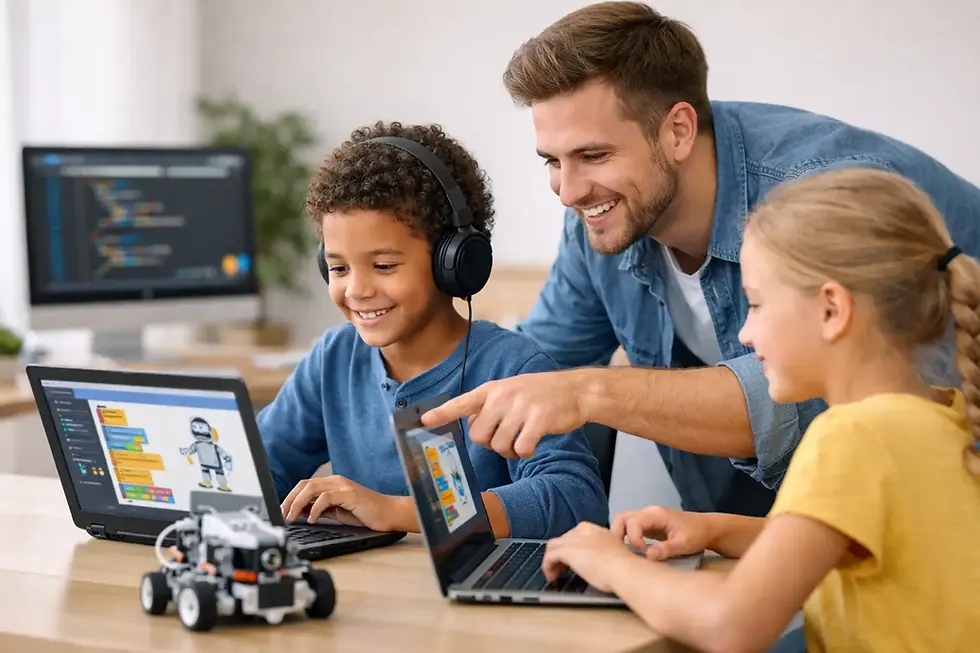
Children usually do not begin by writing long blocks of text-based code. Younger learners often start with drag-and-drop programming, where commands are represented as visual blocks. This makes the ideas behind coding easier to understand. Instead of worrying about typing every symbol correctly, they can focus on actions such as move, jump, repeat, or play sound.
That early stage is more powerful than it looks. A child learns that every result on screen comes from a rule. If a character should move when a key is pressed, they need to define that behavior. If an object should disappear when touched, they need to create that event. These small choices introduce the foundations of programming in a way that feels playful rather than intimidating.
As children grow more comfortable, they begin combining commands into systems. A simple maze game might require movement controls, barriers, scoring, and a win condition. Even a very basic game teaches sequencing, cause and effect, and problem-solving. The child is not memorizing theory first. They are learning by building.
The real skills behind game creation
Parents often ask whether making games is just entertainment dressed up as education. The short answer is no. Building games with code develops a wide mix of practical skills that carry into school and beyond.
Logic is one of the biggest gains. A child learns to break a big idea into smaller steps. If they want a player to avoid obstacles, they need to think through movement, collisions, and what happens after contact. That habit of structured thinking supports math, science, and everyday problem-solving.
Creativity also plays a major role. Coding is not only about getting the right answer. It is about making choices. Children decide on characters, rules, level design, sound effects, and visual style. Two students can learn the same coding concept and build completely different games. That combination of technical thinking and creative freedom keeps engagement high.
Then there is resilience. Games rarely work perfectly on the first try. A score may not update, a sprite may move the wrong way, or the game may become too easy to be fun. Debugging teaches children to stay calm, test one change at a time, and keep going. That confidence matters just as much as the code itself.
What the learning journey looks like by age
The way children build games with code changes a lot by age, and that is a good thing. Effective instruction should match the learner rather than force every child into the same pace.
For younger children, around ages 5 to 7, game building works best when the projects are short, colorful, and highly interactive. At this stage, they might create a simple chase game, an animation with points, or a click-to-score activity. The goal is to connect coding actions with visible results as quickly as possible.
For ages 8 to 12, children can usually handle more structure and more complex game rules. They often enjoy obstacle games, platformers, mazes, racing games, and basic multiplayer concepts. This is a strong age for developing confidence because students can start shaping games that feel familiar to them while still learning core programming patterns.
Teen learners often become ready for text-based coding languages and more advanced design thinking. They can build games with variables, conditionals, functions, and stronger control over movement and physics. Some are ready to move from visual coding into Python or other programming environments. Still, there is no reason to rush. A child who builds strong fundamentals with beginner-friendly tools often progresses better than one pushed too early into syntax-heavy coding.
Why game development keeps children engaged
One reason game coding works so well is that children care about the result. They are not completing random exercises with no clear purpose. They are building something they can play, improve, and share.
That sense of ownership changes the learning experience. When a child wants to make a character jump better or add a new level, they become more willing to solve problems. The lesson is no longer abstract. It has a goal they can see.
This is especially helpful for children who might not respond well to traditional teaching methods. Some learners are highly imaginative. Others enjoy puzzles. Some like competition and want to beat their own high score. Game development gives all of those personalities a point of entry.
There is a trade-off, though. Excitement alone is not enough. If learning stays unstructured, children can end up clicking around without truly understanding what they are doing. That is why guided, project-based instruction matters. A well-designed class keeps the fun while making sure every project builds a real skill.
Tools children often use to build games
The best tools for children are the ones that match their stage of learning. Visual platforms are ideal for beginners because they reduce frustration and encourage experimentation. Kids can test ideas quickly and understand the flow of a program through blocks and events.
As students advance, they may move into tools that introduce more programming depth. Some environments still support visuals while adding more complex systems. Others transition students into typed code. Neither route is automatically better. It depends on the child’s age, confidence, and goals.
For parents, the key question is not which platform sounds most impressive. It is whether the tool helps your child learn progressively. A simple tool used well can teach more than an advanced tool used without support.
What parents should look for in a coding program
Not every coding class teaches game development in a way children can truly absorb. Some programs move too fast. Others focus too much on passive watching. The best programs combine structure, creativity, and regular opportunities to build.
Look for classes where children create projects from the beginning. They should be making choices, testing results, and getting feedback, not just following along without understanding. Small wins matter. A child who finishes a mini-game feels momentum, and that momentum often leads to deeper interest.
It also helps when the curriculum has a clear pathway. A beginner should know what comes after the first project. Maybe it is adding scoring, then variables, then custom game rules, then more advanced coding logic. Progress feels motivating when each step is visible.
Support matters too. Children learn best when instructors can explain concepts in simple language and adjust when a student gets stuck. That is one reason project-based coding programs resonate with families. They give children enough challenge to grow, but not so much that they shut down.
MiniMindsDevs takes this approach by making coding practical, interactive, and confidence-building, which is exactly what many parents are looking for when they want screen time to become skill-building time.
From playing games to thinking like a creator
There is a meaningful shift that happens when children stop seeing games only as something they consume. They begin to notice patterns. They ask why a character behaves a certain way, how points are counted, or what makes a level harder. They start thinking like creators.
That mindset can shape future learning in a big way. A child who builds games today may later explore app development, robotics, website design, or software engineering. Even if they do not choose a tech career, they gain confidence with digital tools and learn that technology is something they can shape, not just use.
For parents, that is the bigger opportunity. Coding is not only about preparing for future jobs. It is about helping children become curious, capable, and comfortable solving problems in a digital world.
If your child lights up when they create something of their own, game coding is more than a fun activity. It is a smart place to begin, because every game they build teaches them that ideas can become real when they learn how to guide technology with purpose.


Comments